This post may contain affiliate links.
We view website security as a living foundation. By combining elite infrastructure like Cloudflare and RunCloud with proactive habits: like enforced 2FA and redundant off-site backups, we ensure your digital home is protected from the ground up. You focus on your growth; we’ll focus on the fortress.
Our Standard of Care: How We Protect Your Website
Your website is a living representation of your brand. For it to evolve and grow, it must first be secure. In 2026, the internet is active with automated threats, but we don’t believe our clients should have to worry about those nefarious actors or bot attacks.
Instead, we build every project on a foundation of intentional security. Here is the standard we maintain to keep your business safe and your data resilient.
Infrastructure: The Global Shield
We don’t just host your site; we protect it at the edge. By placing every website behind Cloudflare, we provide a global shield that filters out malicious traffic before it ever reaches your server. This DNS-level protection is the first line of defense, ensuring that only legitimate visitors interact with your content.
On the server side, we use RunCloud to manage your infrastructure with precision. This allows us to move beyond the limitations of cheap or generic hosting. We enforce strict firewall rules, meaning the back door to your server is locked tight, accessible only through secure, encrypted keys.
Access Control: Intentional Habits
A strong password is only the beginning. To protect the heart of your website, we implement high-level access protocols:
- Enforced Two-Factor Authentication (2FA): This is the single most effective way to stop a breach. We recommend and implement 2FA for all administrative accounts, ensuring that even if a password is lost, your site remains locked to outsiders.
- Proactive Session Management: We encourage an intentional log out culture. Staying logged into a dashboard indefinitely can create unnecessary risks. We configure our sites to encourage clean sessions, protecting your administrative data and maintaining peak site performance.
- Professional Password Hygiene: We utilize and recommend encrypted password managers like 1Password. This allows for the use of complex, unique credentials for every point of entry without the risk of keystroke detection or or stress around forgetting your password because there is one master password that unlocks all of them.
Redundancy: The 3-2-1 Backup Rule
Security isn’t just about keeping people out; it’s about ensuring you can always get back in. We don’t rely on a single source for your data. We follow the 3-2-1 rule:
- Three copies of your data.
- Two different storage types (Server + Cloud).
- One off-site location.
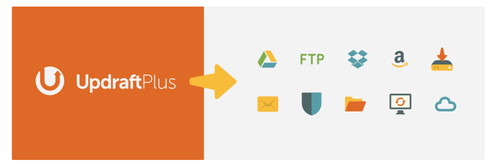
Using UpdraftPlus in tandem with our server-level backups, we automate the delivery of your site files to secure, off-site cloud storage. Whether it’s a plugin update gone wrong or a server-level event, we can restore your site to full health in minutes, not days.
Expert Oversight: Why Managed Security Wins
One of the biggest issues we see in DIY security is alert fatigue. Security plugins like Wordfence are powerful, but they generate technical data that requires an expert eye to interpret.
When you partner with us, you aren’t just getting a plugin; you’re getting a specialist who monitors those alerts, tests updates in a staging environment before they go live, and maintains the fortress daily. This professional oversight is what turns a vulnerable website into a resilient brand.
Our Trusted Security Stack
UpdraftPlus: Our partner for redundant, automated, off-site backups.
Cloudflare: Our first line of defense for global traffic filtering and speed.
RunCloud: Our precision server management platform for secure, high-performance hosting.
WordFence: Our dedicated on-site guard, providing real-time threat detection and a powerful firewall.
1Password: Our standard for encrypted, high-security password management.


Using one or a few of these security and backup plugins will be your new best friends when it comes to site security and backups, aside from us, of course! So do yourself a favour. Update your passwords, logout from every site you’ve visited including your own, and install security and backup plugins to prevent hacks and loss of data.
This post may contain affiliate links. See our growing list of affiliates that we trust and recommend and our disclosure statement.